AI that reads your ERP and tells you what to do next
The AI Assistant sits on top of LogsNX ERP. It watches ledgers, stock and pipeline for what is off, turns speech into orders and job notes, and points at the revenue you are leaving on the table. It recommends; your team decides.
 Search or type a command
AI AssistantMK
Product views use demo data.
What the AI Assistant does every day
Diagnostics
Duplicate invoices, unusual journal entries, margins that drifted, stock that stopped moving, customers paying later each month — flagged daily with the evidence attached.
Voice
Technicians dictate job notes; sales reps speak an order in the parking lot; managers ask for a report out loud. The AI Assistant transcribes, structures and files it in the right document.
Revenue
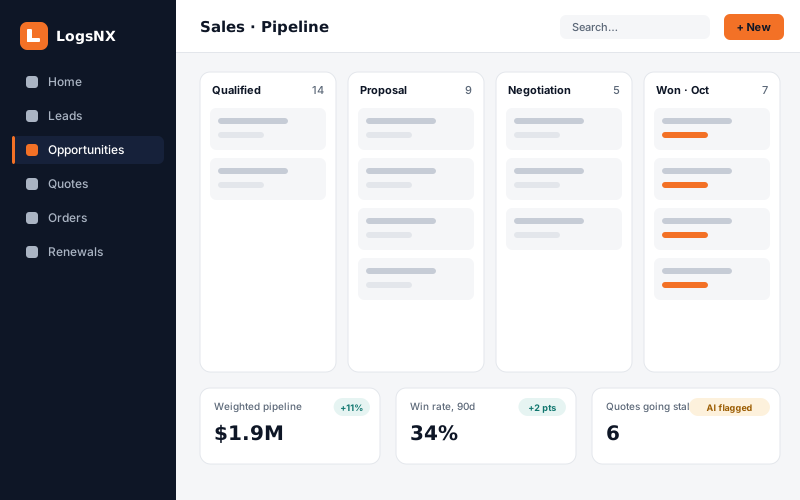
Renewals at risk, quotes going stale, customers who stopped ordering a category, pricing below list — a ranked list each morning with the next action.
AI your controller can sign off on
Read-only by default
The AI Assistant creates drafts and recommendations; it does not post, pay or ship without a person's approval.
Shows its work
Every flag links to the documents and numbers behind it, so your controller can verify in seconds.
Your data stays yours
Runs inside your LogsNX environment. Nothing is used to train models for anyone else.
Six flags, ranked. Each with the documents behind it
A possible duplicate supplier invoice, a product line whose margin drifted, a contract about to lapse with no recent activity, a customer paying later each month. Your team reviews, approves or dismisses — and the AI Assistant learns which flags matter to you.
- Ledger, stock and pipeline anomalies, daily
- Voice to order, note or report — filed in the right document
- Renewals, stale quotes and lapsed categories, ranked by value
AI Assistant questions, answered
Does the AI Assistant change our records?
What does it need to get started?
See what the AI Assistant finds in your data
Bring a few months of transactions to the demo; we show the briefing it would produce.